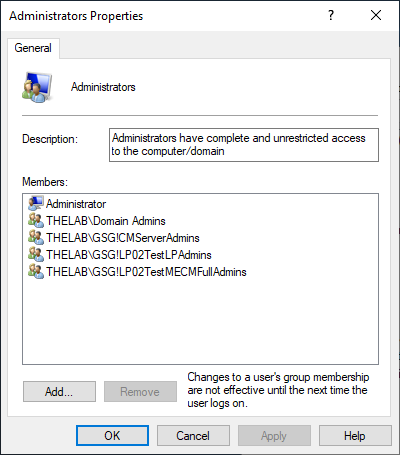
Verifying the User is in the Administrators Group
Purpose
You must use an account that is a member of the Administrators group. This document is meant to show how to verify the Configuration Manager user is added to the Administrators group on the server/computer.
Configuration
The Administrators group is a local group on the server/computer. The steps below show how to ensure your user account is added to this group. You will need local administrative privileges on the server/computer to make these changes.
On the server/computer:
- Open Start > Run
- Type in CompMgmt.msc and click the OK button.
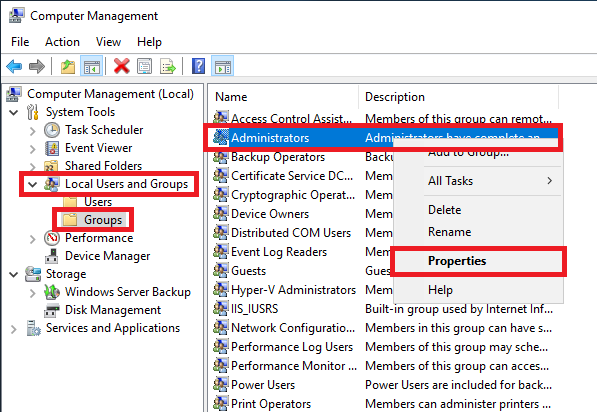
- Navigate to Computer Management > Local Users and Groups.
- Click Groups.
- Right-click the Administrators group.
- Click Properties.
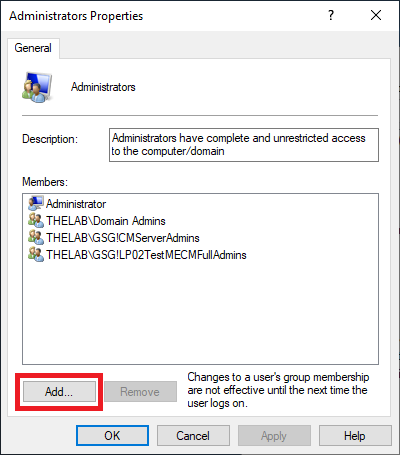
- Within the Administrators Properties, click Add.
- This brings up the Select Users, Computers, Service Accounts, or Groups window.
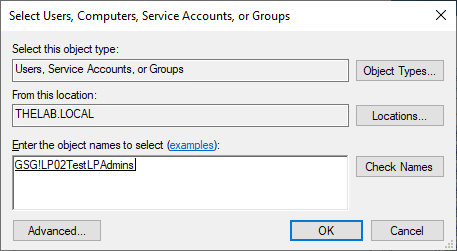
- Set the user account that will need to be added, and click OK.
- Verify you now see your account as a member of the Administrators group. Click OK.