Upgrade Landing Page Redirects to Ivanti Website

Upgrade Landing Page Redirects to Ivanti Website

Symptom

When a new version of the Lenovo Patch product becomes available, the notification window is displayed including a link.
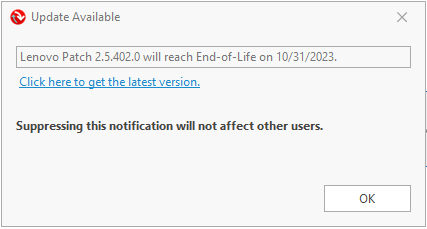
LenovoPatchNotify
When clicking on the link in the notification window from Lenovo Patch, the link takes you to an Ivanti webpage.
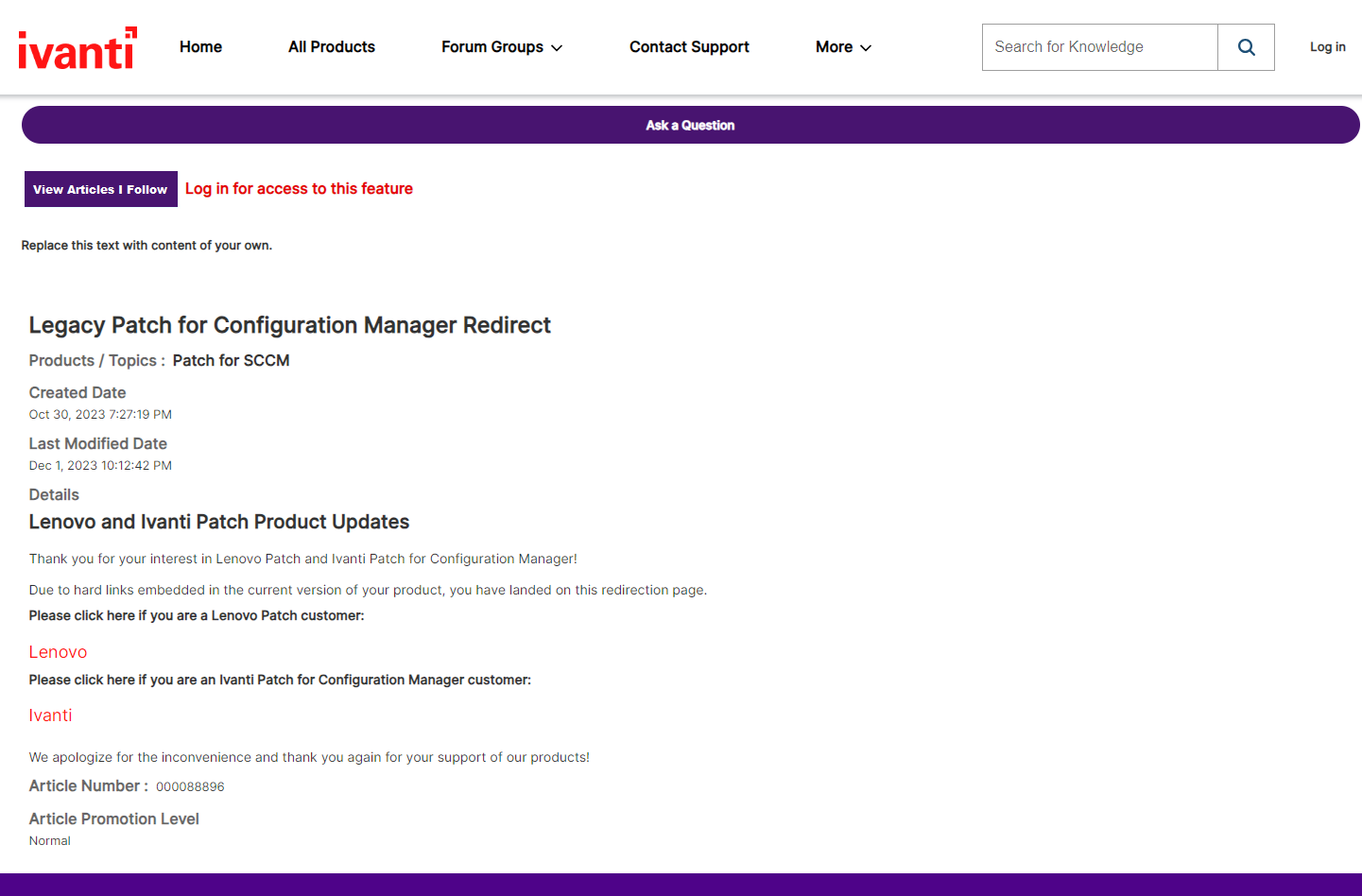
LandingPage

Cause

A configuration file contained in Lenovo Patch contains an incorrect link, resulting in the redirection to an Ivanti landing page.

Versions Impacted

  • Lenovo Patch 2.5.402.0
  • Lenovo Patch 2.5.586.0

Solution

Once the incorrect link was detected, the Lenovo Patch support team worked with the Ivanti product team to redesign the landing page to include a link to the Lenovo Patch: Getting Started - Links and Prerequisites Knowledge Base article. If you encounter the landing page from Ivanti, please click on the Lenovo link, which will redirect you to the latest installer and documentation

Lenovo Patch version 2.5.616.0 contains the correct link to the Lenovo Patch: Getting Started - Links and Prerequisites Knowledge Base article.

We apologize for the inconvenience and confusion this may have caused and appreciate your continued use of Lenovo products.

    • Related Articles

    • Ivanti Frequently Asked Questions

      Q: How do I add users to the console? A: To create new users, you must configure them in the Access Control settings: Sign in to the Ivanti Neurons Console. Go to Admin > Access Control. Select Invite New Member and provide the required details ...
    • Getting Started with Ivanti

      After installing the Ivanti Agent, you can begin using the Ivanti Neurons platform. The console provides a centralized interface for device visibility, real-time actions, and automation through Neurons Bots. This article describes the basic ...
    • Key Features of Ivanti Neurons

      Ivanti Neurons is a cloud-based IT operations and security platform that provides real-time visibility, automation, and risk-based remediation across devices. The following are its most important capabilities. Remote Control Securely connect to ...
    • Downloading and Installing Ivanti

      To use Ivanti Neurons for IT operations, you must first deploy the Ivanti Agent on your endpoints. The agent enables communication with the Neurons Cloud and enforces policies defined by administrators. This article describes how to download, ...
    • Lenovo Updates Installing Multiple Times After an OS Upgrade - Task Sequence or Windows Servicing Upgrade

      Symptom After using an OS Upgrade Task Sequence, all Lenovo Updates targeted to the device will repetitively install, show waiting for restart, and then upon restart, reappear in the Software Updates in Software Center to be installed again. Lenovo ...